



You can read every line on your passport, but the eVisa portal still won’t accept the scan. Before taking another photo, read the error message. A file that exceeds the upload limit needs a different fix from a photo with glare across the passport number.
First, check whether the error appeared while attaching the file or whether Immigration asked for a replacement after you submitted the application. That tells you whether to fix an upload or respond to an existing case.
Check the instructions next to the upload field
Look at the file types and size limit shown for your passport upload on the official Indonesian eVisa portal. Use those instructions for your application. For example, Bengkalis Immigration’s online visa FAQ lists JPG, JPEG, or PNG up to 200 KB for the biodata page, while Bontang Immigration’s guidance lists PDF or JPEG for electronic documents in some visa categories. If the field requires an image, export the scan as an accepted image type. Renaming passport.pdf to passport.jpg will not convert it. Bengkalis Immigration’s visa FAQ · Bontang Immigration’s guidance by visa category.
Make a copy you can still read after resizing
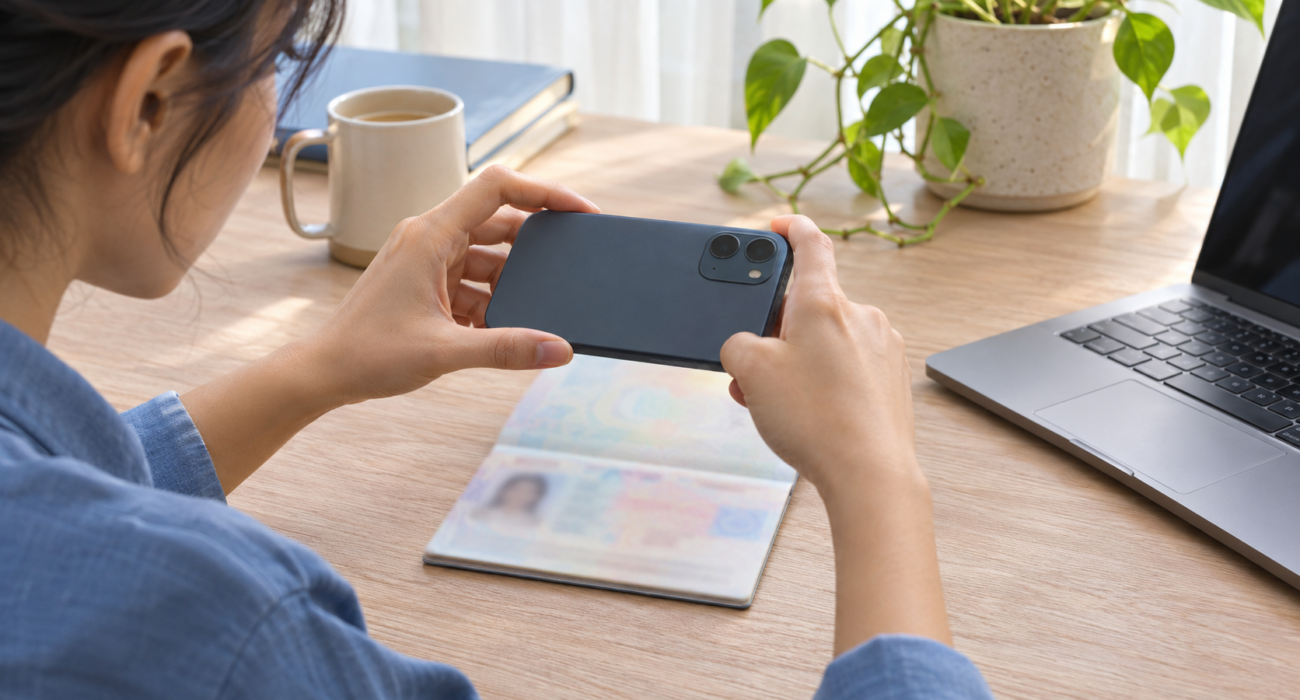
Photograph or scan the full biodata page of the passport you are using to apply. If you use a phone, lay the passport flat, turn off the flash, and hold the camera parallel to the page. Move the passport away from direct light if its laminated surface reflects the window or lamp. Keep the page edges and the machine-readable lines at the bottom in the frame. Indonesian Immigration’s eVisa manual shows examples of how to frame passport documents for upload. Yogyakarta Immigration’s eVisa upload manual.
If you have to reduce the file size, keep the original and export a smaller copy. Then open the exact file you plan to upload and zoom in. Can you still read the name, passport number, and expiry date? Can you distinguish the characters in the bottom lines? If they look smeared, take a clearer photo rather than compressing the same file again.
If you’ve already submitted the application
Check the portal and your registered email for instructions on the existing application. If Immigration asks for a clearer passport page, follow the instructions attached to that request. If the portal still fails to accept the file, save the exact error message and note the visa category, upload field, file type, and size. Include your application reference when you contact official support, if one has already been issued. Confirm what to do with the existing case before starting another application. Batam Immigration’s guide to tracking a visa application.
Need help reviewing your eVisa documents?
Devisa Global Services provides visa application services in Jakarta. If you are unsure whether the problem is the file format, the scan itself, or a request on an existing application, we can help you identify what to check next.
Speak with a Devisa visa consultant on WhatsApp. Start with your visa category and the wording of the error message. You do not need to send your passport scan in the first message.
Devisa Global Services is an independent private consultancy. Indonesian Immigration reviews applications and issues visas.